

OmniKit
Chrome / Edge / Brave
One extension. Your kind of browser.
A free, modular toolkit for Chrome, Edge, and Brave. Save images, pop out videos, organize downloads, format JSON, and record your screen, with individual tools you can switch on or off.
Get the appInside the app.
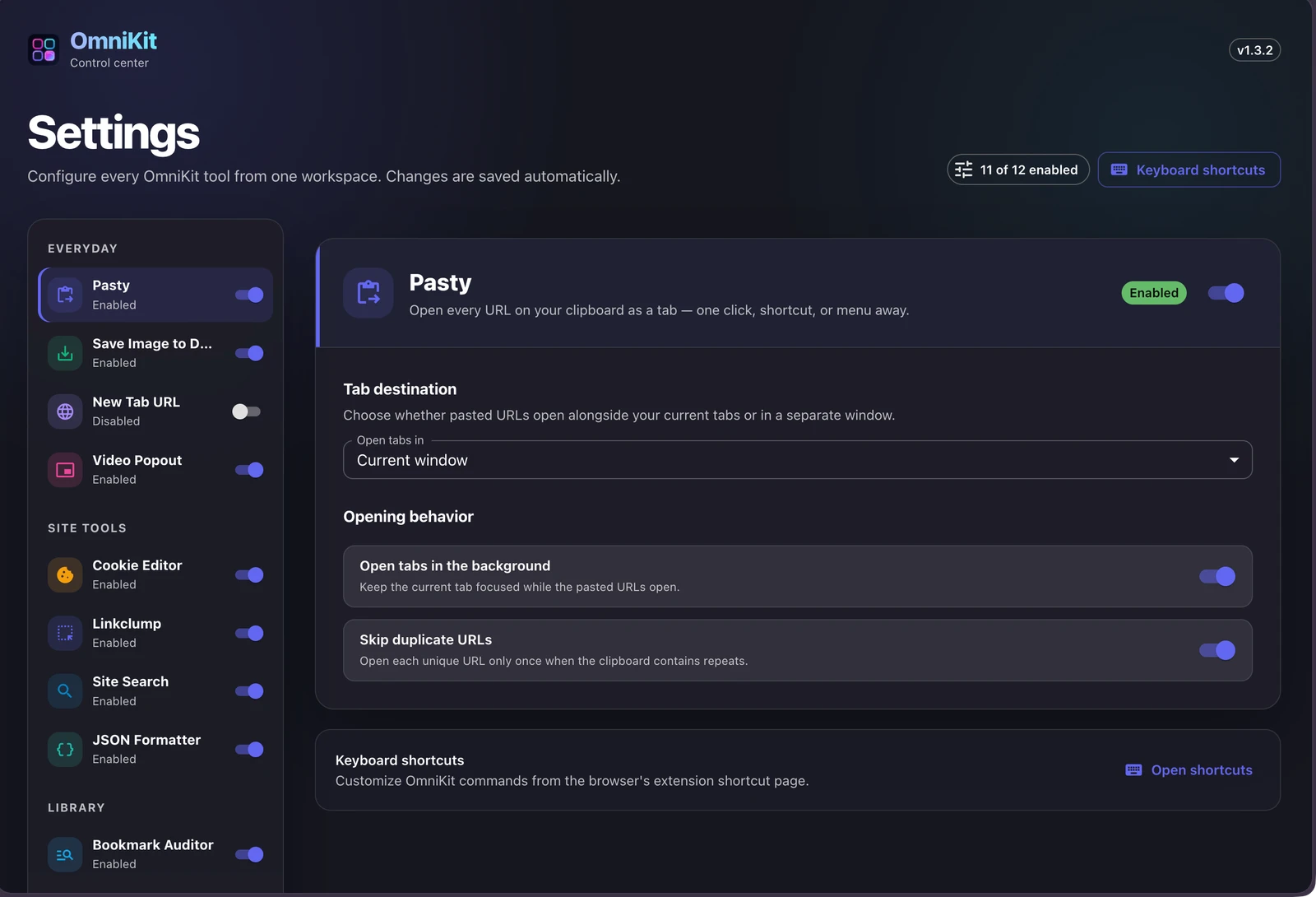
Keep the useful parts. Leave the rest off.
TOOL / 01
Save images
Keep useful images without repeating the same browser steps.
TOOL / 02
Video popout
Keep a video in view while you work somewhere else.
TOOL / 03
Organize downloads
Use your own rules to send downloads to the right place.
TOOL / 04
Read JSON
Explore responses in a readable, structured tree.
TOOL / 05
Record your screen
Keep recordings in an on-device library.
TOOL / 06
Audit bookmarks
Check your saved links when you choose.
One extension does not have to mean every permission.
One install. Your selection.
Choose the modules you need from the popup or settings workspace. Keep the others switched off instead of filling your toolbar with separate extensions.
Take care of the everyday
Open clipboard links together, select groups of links, save images, organize downloads, and keep a video in picture-in-picture.
Go a little deeper
Explore JSON in a readable tree, manage site cookies, audit bookmarks, or record your screen into a local recordings library.
Get OmniKit
Use the official store for installation, permissions, and updates.
The published edition is for desktop Microsoft Edge 119 or later. Edge handles permissions and updates.
A note on your data.
Recordings and bookmark-audit reports stay in local extension storage. Some preferences use your browser's sync storage. Website tools request additional access when needed; searches and bookmark checks make network requests for their selected tasks.
Read the product privacy policyA few useful answers.
Yes. OmniKit is free to use.
The current public release installs through Microsoft Edge Add-ons on desktop Edge 119 or later. OmniKit's Manifest V3 code also targets Chrome and Brave; browser APIs and capture options can vary.
No. Each module can be switched on or off from the popup or settings. Features that need additional website access ask for permission, and optional page scripts run only while the corresponding feature is enabled and authorized.
Screen Recorder keeps captures in an on-device library, and JSON Formatter processes responses in the browser without uploading them. Other tools, such as bookmark auditing and site search, contact the websites involved in the task you choose.
More from Mantiqo.

Dashly
Edge
A new tab that feels like yours.
Arrange notes, todos, bookmarks, feeds, clocks, and a focus timer into a personal, widget-based dashboard.
Browser tools

Bookmarks
Edge / Chrome
A better home for what you save.
Organize existing browser bookmarks with tags, rearrangeable widgets, and pinned categories, without replacing your bookmark collection.
Browser tools

RepoDeck
macOS / Windows / Linux
All your projects. A clearer perspective.
Bring local folders and GitHub repositories into one project command center. Go from a portfolio-wide view to a focused workspace, with Git changes, resources, guided actions, and runs close at hand.
Developer tools