

News.
Chrome / Edge
Your sources.
Your reading space.
A free, local-first feed reader for Chrome and Edge. Follow RSS, Atom, RDF, and JSON Feed sources, organize your reading, and keep notes and highlights in a browser side panel or a full-page workspace.
Get the appChrome and Edge 142+ / RSS, Atom, RDF, and JSON Feed
Inside the app.
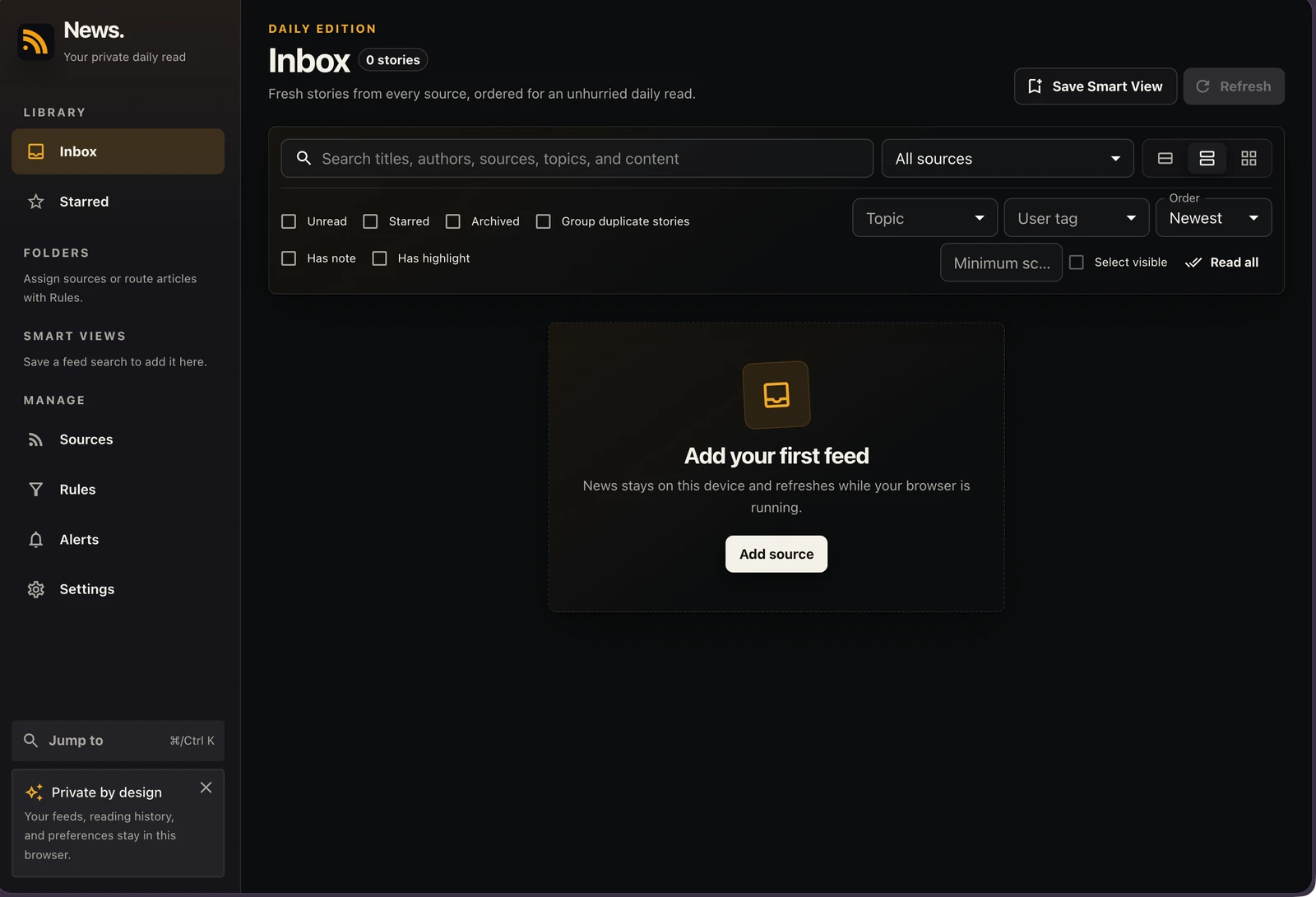
Build a library around your own interests.
Room for the story.
Room for your thoughts.
Build a reading space of your own
Bring feeds into one inbox, organize sources into folders, and save Smart Views for the topics and filters you return to.
Keep more than the headline
Read beside your feed, add local tags and Markdown notes, highlight passages, and export the articles you have annotated.
Follow the quieter updates
Use rules and optional alerts for your feeds, or watch an exact public page for text changes when it does not offer a feed.
Beside the page, or in a space of its own.
Read in the browser side panel or a full-page extension tab. Keep tags, Markdown notes, and exact-quote highlights with the articles that matter. Take subscriptions with you through OPML, and preserve the library with a JSON backup.
Get News.
Use the official store for installation, permissions, and updates.
The published edition is for desktop Microsoft Edge 142 or later. Edge handles permissions and updates.
A note on your data.
Reading data, notes, preferences, and histories stay in your current browser profile. Feed refreshes, optional article retrieval, and web watches contact the sites you authorize. Remote article media loads only when you choose; there is no News account or hosted sync service.
Read the product privacy policyA few useful answers.
Yes. News. is free to use.
The current public release installs through Microsoft Edge Add-ons on desktop Edge 142 or later. News.' Manifest V3 code also targets Chrome; Chrome Web Store publication is separate.
Yes. News. provides its complete reader in the browser side panel as well as a normal full-page extension tab.
Import and export feed subscriptions with OPML. JSON backups preserve your local library and settings, and annotated articles can be exported as Markdown.
Saved feed text and fetched publisher snapshots remain in your browser's local storage. Refreshing feeds, retrieving new articles, and checking watched pages still require a connection.
More from Mantiqo.

RepoDeck
macOS / Windows / Linux
All your projects. A clearer perspective.
Bring local folders and GitHub repositories into one project command center. Go from a portfolio-wide view to a focused workspace, with Git changes, resources, guided actions, and runs close at hand.
Developer tools

Trails
iOS
Go about your day. Keep the journey.
An automatic trip journal for the routes that make up your life. Record walks, runs, rides, and drives, then revisit them through route maps, replays, and a picture of your everyday movement.
Life in motion

DropStash
macOS
A little space between here and there.
A floating shelf for the things you are moving. Gather files, folders, text, and links in one place, switch to your destination, and drag them out when you are ready.
Everyday utilities