
Merge Folders
macOS
Scattered folders. One place.
Bring the contents of several folders together from Finder. Review the destination, move the contents into one folder, and keep both files when names collide.
Get Merge FoldersBring the contents together. Know what moves.
Merge Folders moves files on the same mounted filesystem. Keep the folders idle, review the destination, and keep a backup. There is no Finder Undo or automatic rollback for a completed move.
Native Finder extension
macOS 14+
Signed and notarized
No device activation
Inside the app.
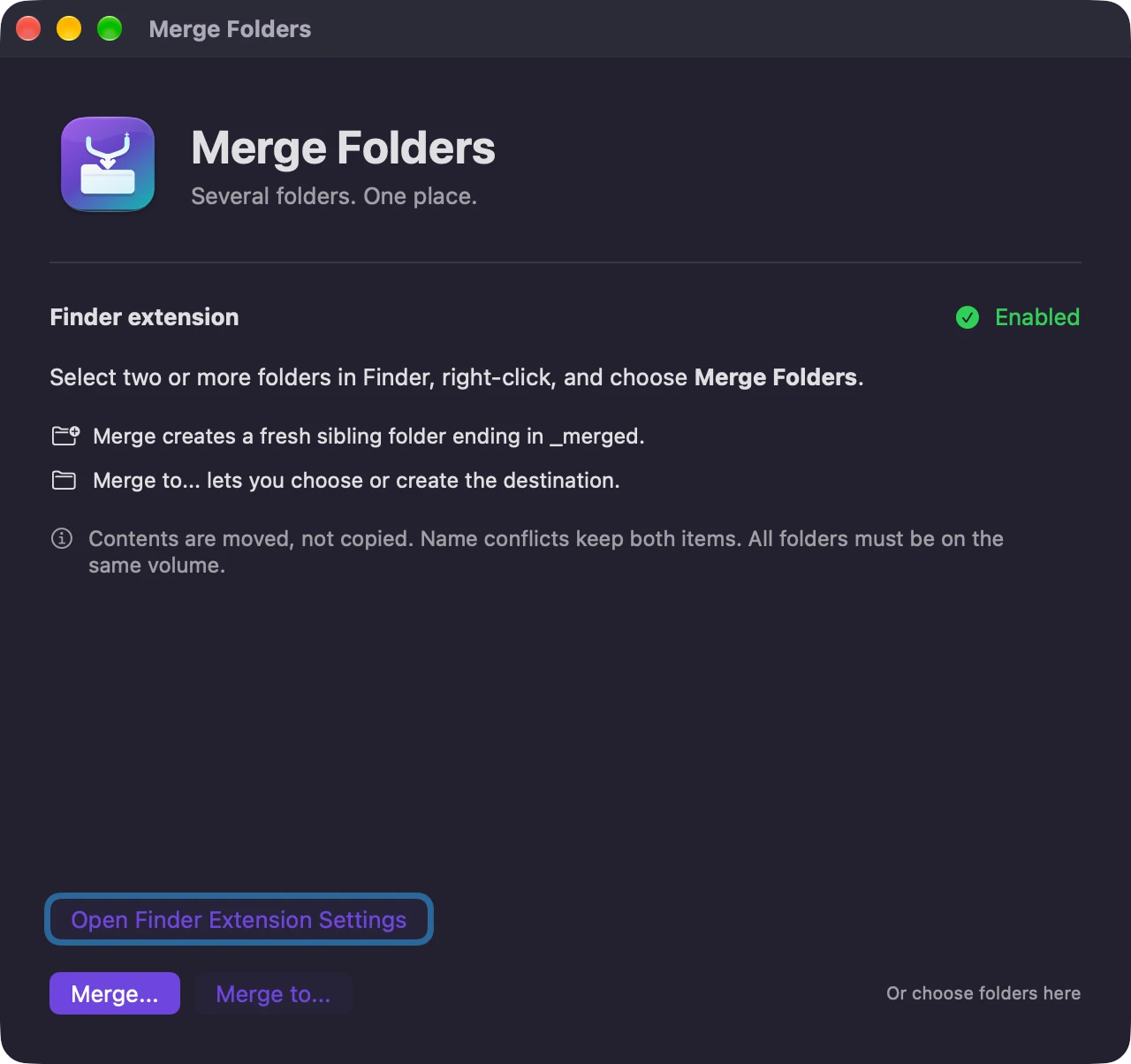
Less scattered. Still under your control.
Together, not nested
Combine the contents of selected folders into a new sibling folder or a destination you choose.
Both files get to stay
Name conflicts receive numbered names instead of replacing existing items. App bundles and photo libraries stay intact.
Review before moving
A native review screen shows the sources and destination before you start. The app works under your existing file permissions.
- Matching subfolders
- Their contents combine recursively.
- Matching filenames
- Both files are kept, with numbered names for conflicts.
- App bundles and photo libraries
- Bundles stay intact rather than being merged internally.
- Folders left behind
- Source folders are removed only when empty.
Get Merge Folders
A one-time purchase, with installer delivery and recovery through your secure purchase portal.
$4.99
One-time purchase
macOS 14 or later / Apple Silicon and Intel. Applicable taxes are shown at checkout.
Version 1.0.0. Installer downloads are included in your purchase. The current release does not require device activation.
After payment, Polar emails a secure route to your license key and downloads. Already own it? Find your purchases.
A note on your data.
No accounts, analytics, advertisements, or network requests. File operations run locally under your user permissions, including when the destination is an already-mounted share.
A few useful answers.
It moves files. Every participating folder must be on the same volume or filesystem. Cross-volume merges are rejected before moving.
There is no automatic rollback or Finder Undo. If a merge stops, completed moves remain at the destination and the remaining items stay in their sources. Keep a backup and leave participating folders idle during a merge.
macOS 14 or later, on Apple Silicon or Intel. Install the app, open it once, and enable the Finder extension.
More from Mantiqo.
New Text File
macOS
The missing little right-click.
Create a text or Markdown file exactly where you need it. A small native Finder extension that puts a Create New submenu where it belongs, without opening an editor or a terminal first.
Finder essentials

QuietLook
macOS
Your previews. Your volume.
Keep the sound setting you choose in Finder's Space-bar Quick Look previews. Start muted, then remember your preferred mute or volume when you close a preview, switch files, or sign in again.
Finder essentials

RepoDeck
macOS / Windows / Linux
All your projects. A clearer perspective.
Bring local folders and GitHub repositories into one project command center. Go from a portfolio-wide view to a focused workspace, with Git changes, resources, guided actions, and runs close at hand.
Developer tools