Mantiqo

Five small upgrades. A better day on your Mac.

A focused set of five Mac utilities that make everyday file tasks easier, faster and more organized.

One-time purchase. Individual apps and trials available.
1

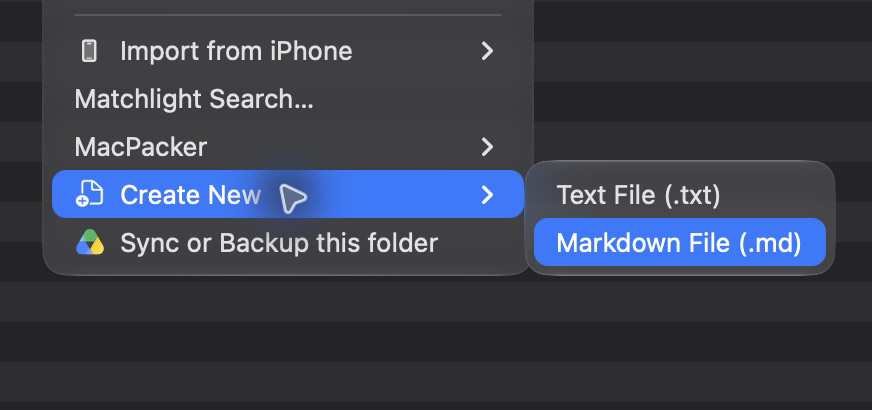
Create a new Markdown file in your project folder.

New Text File 1.3.0: Finder’s Create New submenu with Markdown File selected.
2

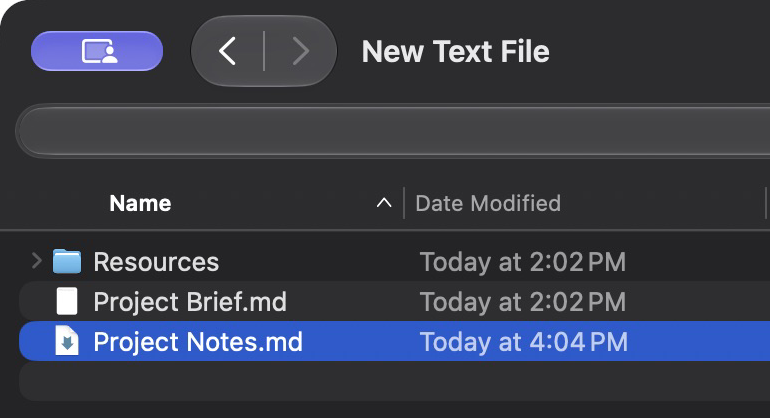
A new Markdown file is created in the same folder.

New Text File 1.3.0: the created Project Notes.md file selected in Finder.

New Text File 1.3.0 · Sample project files shown. See New Text File

Keep the project together.

DropStash lets you gather related files into a simple shelf, so everything you need for the project is in one place.

See DropStash


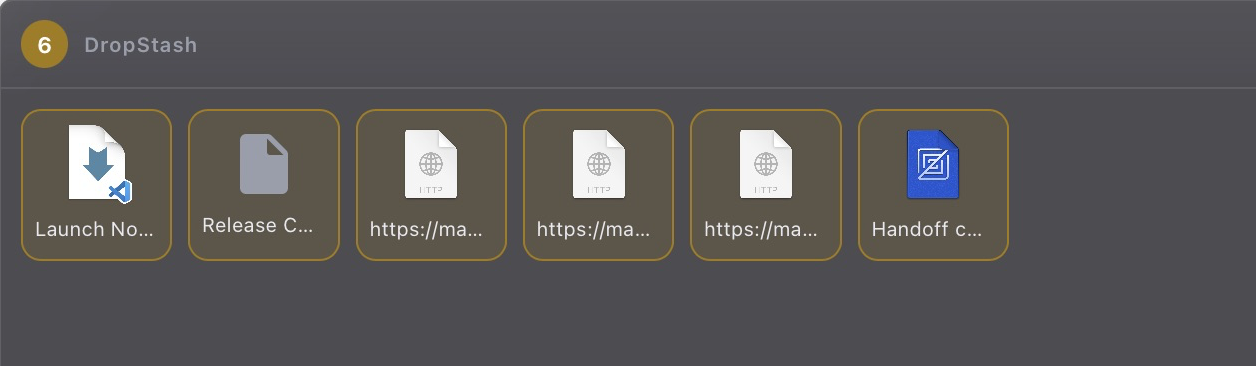
DropStash 0.3.0: a genuine native-window detail with six gathered project items.
Enlarge

Six sample project items gathered on the shelf.

Bring folders together.

Move the contents of several folders into one destination. Review before starting, and keep both files when names collide. Merges stay on the same filesystem.

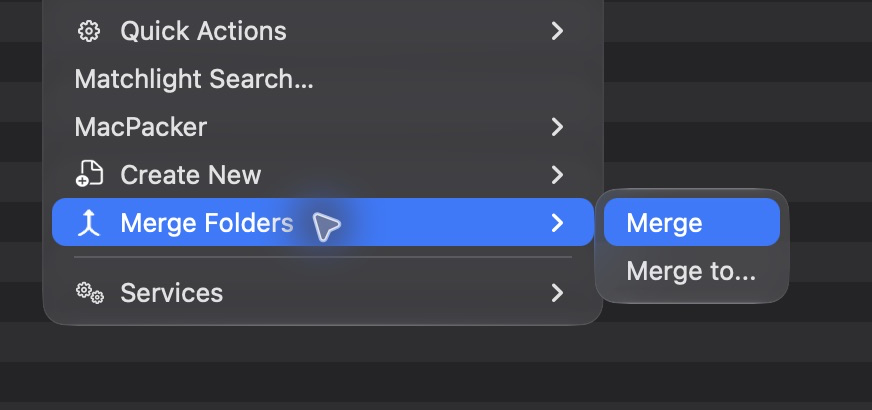
Finder’s Merge Folders submenu with Merge selected.View full-size
Merge Folders 1.2.0 · 7 November 2026. Start the merge from the real Finder context menu.
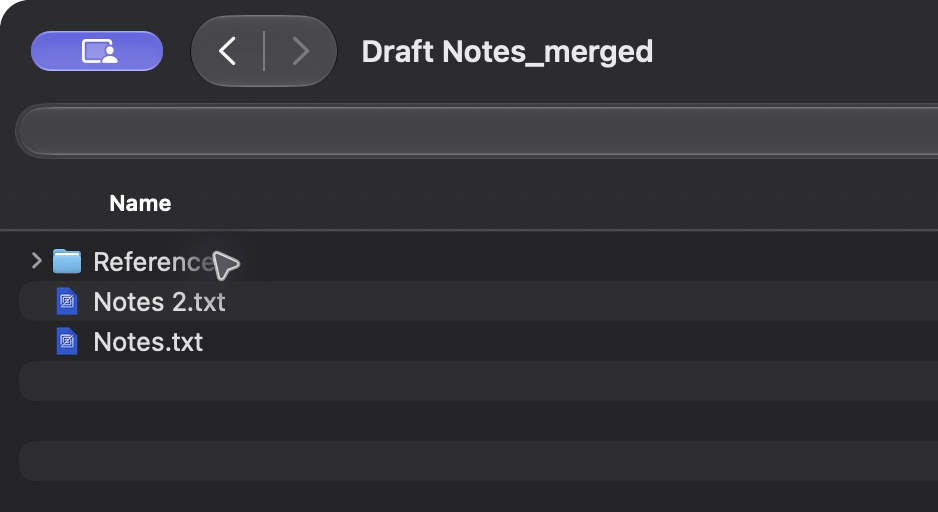
Draft Notes_merged in Finder, containing References, Notes.txt and Notes 2.txt.View full-size
Merge Folders 1.2.0 · 7 November 2026. The completed Draft Notes_merged folder preserves both colliding notes as Notes.txt and Notes 2.txt.

Find the
launch notes.

Find filenames or full paths with regular expressions. Narrow your results, preview a match, then move, rename, or organize the files you found.

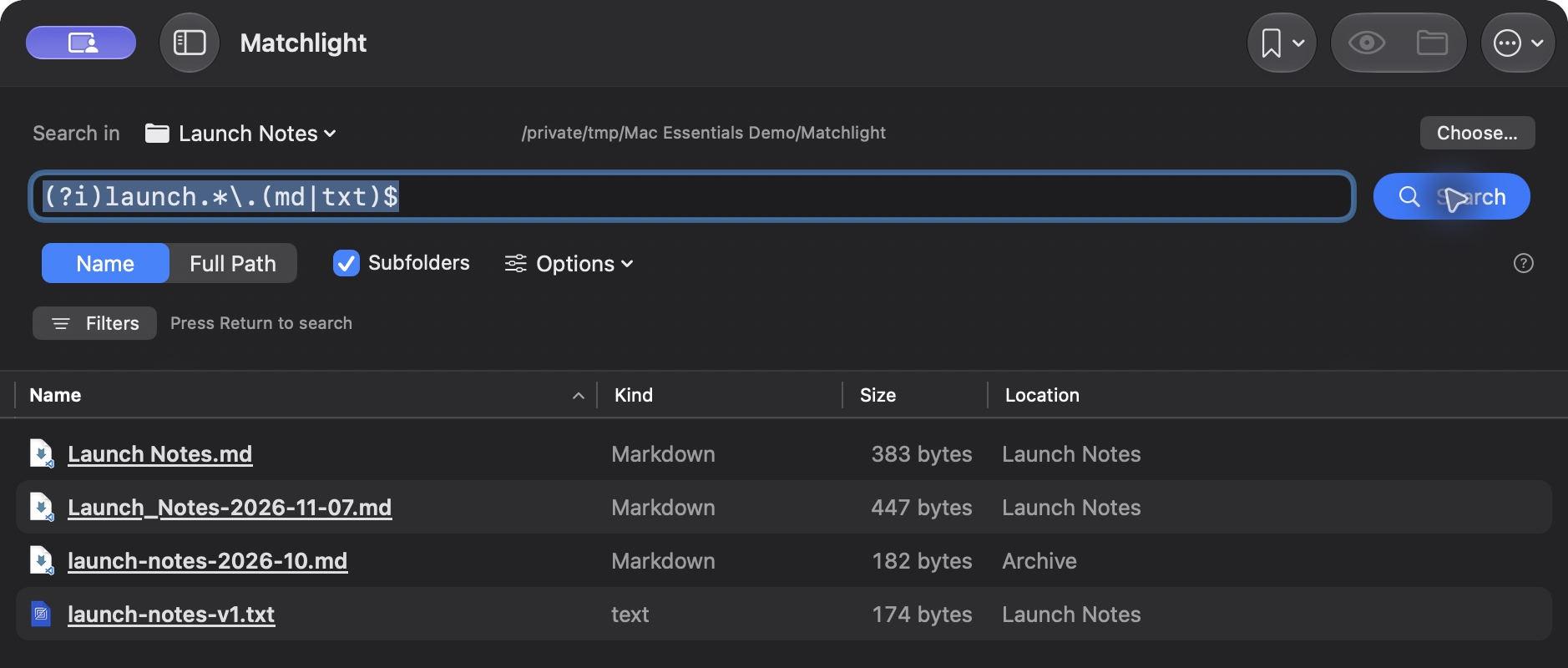
This search looks for launch notes in Markdown or text files:

(?i)launch.*\.(md|txt)$
Matchlight’s Name search with Subfolders enabled returns four launch-note documents matching a filename pattern.View full-size
Matchlight 1.2.0 · 7 November 2026. Four matches from ten searched sample items in the launch-notes project.
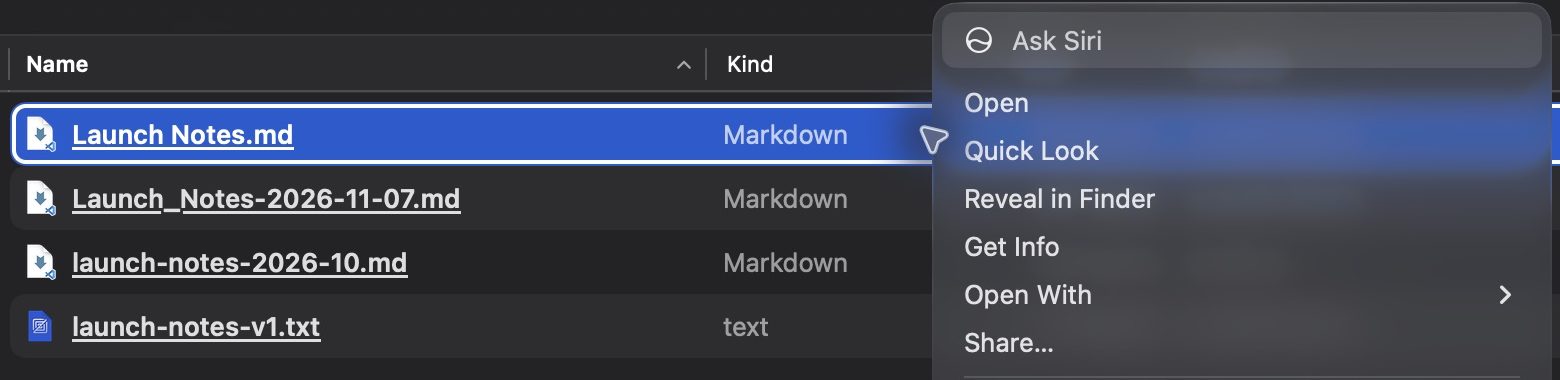
Launch Notes.md selected in Matchlight, with a native context menu that includes Reveal in Finder.View full-size
Matchlight 1.2.0 · 7 November 2026. The selected result’s native menu offers Reveal in Finder, alongside the usual file actions.
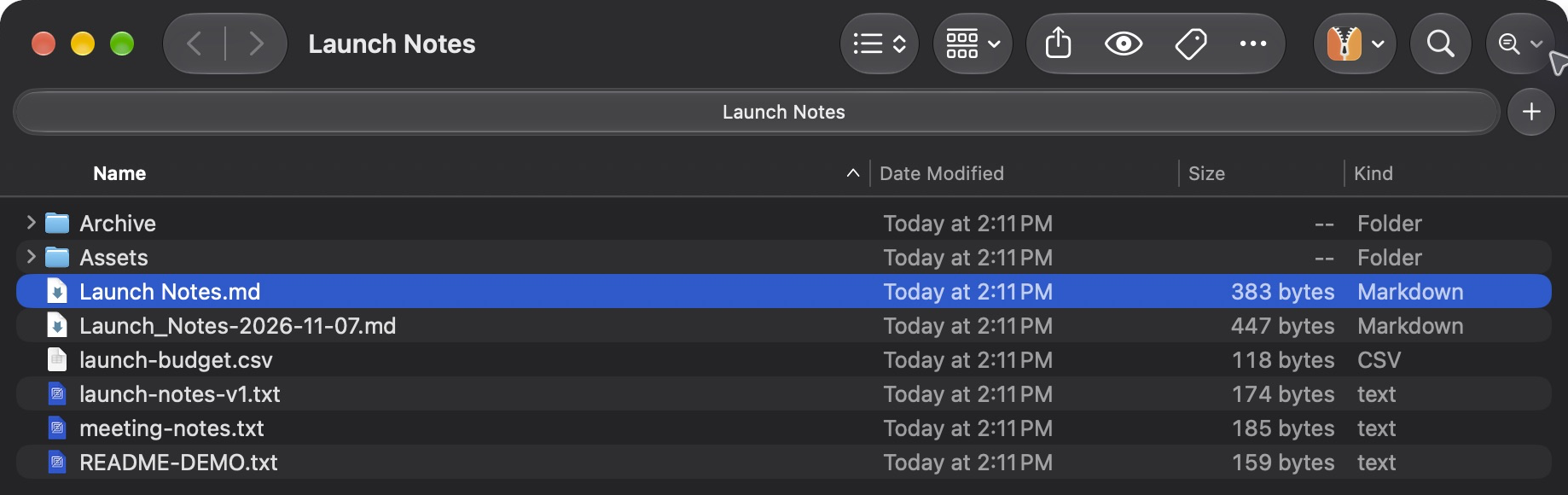
Finder selects Launch Notes.md in the sample Launch Notes folder after Reveal in Finder.View full-size
Matchlight 1.2.0 · 7 November 2026. After Reveal in Finder, the matching Launch Notes.md file is selected in its actual folder.

A preview
that remembers.

Let Finder’s Space-bar previews remember your mute and volume choice. QuietLook uses the native preview controls, without changing your system volume.

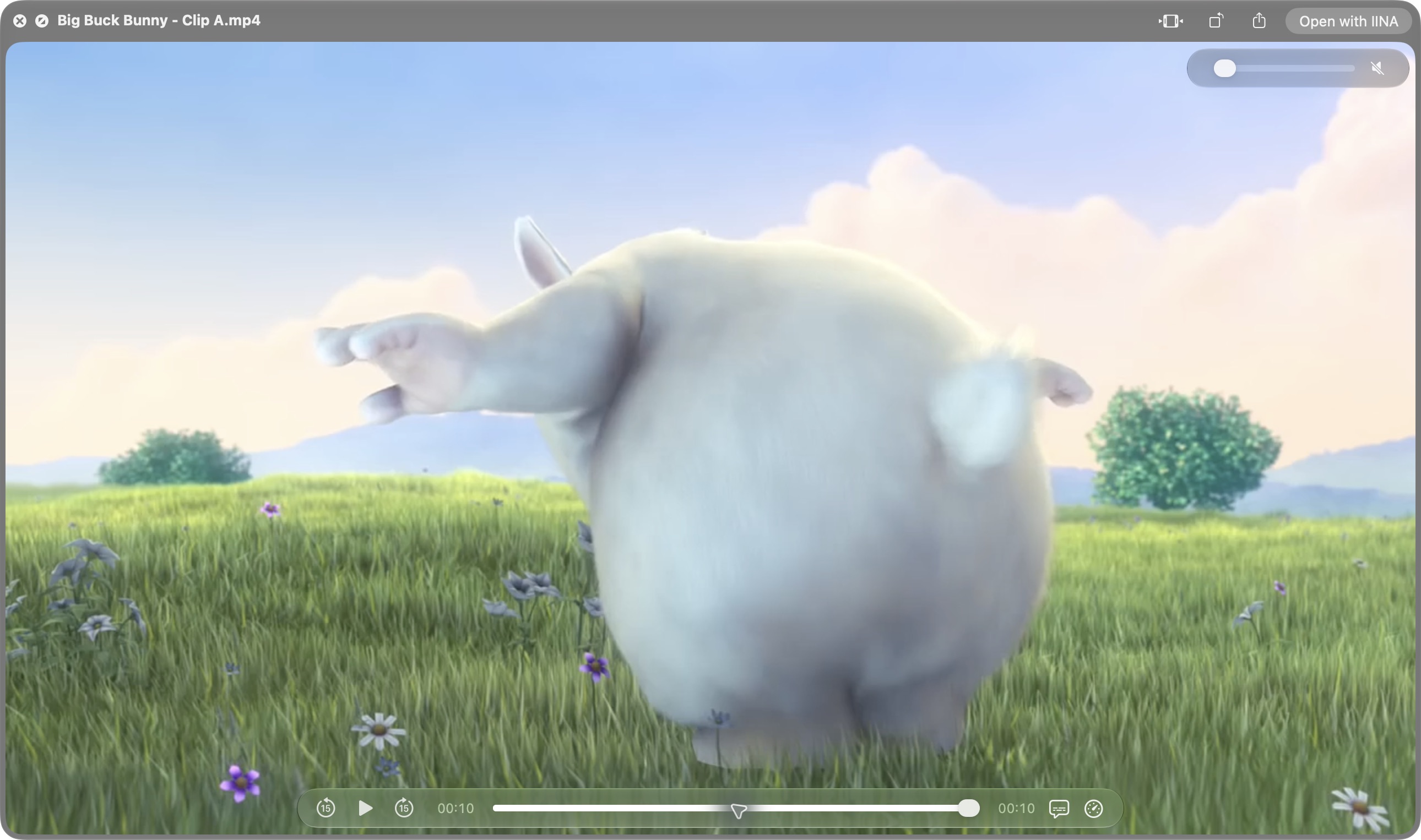
Press Space in Finder and use the preview’s own speaker button or volume slider.

QuietLook 1.4.0, 7 November 2026. Finder's Quick Look preview of Big Buck Bunny – Clip A, manually muted using the native volume control.View full-size
QuietLook 1.4.0, 7 November 2026. Finder's Quick Look preview of Big Buck Bunny – Clip A, manually muted using the native volume control.

Big Buck Bunny — (c) copyright 2008, Blender Foundation / www.bigbuckbunny.org. CC BY 3.0. Changes: Excerpt re-encoded as H.264 720p. Original audio replaced with a silent stereo AAC track.

Choose the tools for your day.

Start with one useful action, or bring home the collection. Every app has its own seven-day trial and remains available individually.

Trials begin when you first start each app online and last seven consecutive days. No card is needed and there is no automatic charge. Reinstalling does not restart the clock.

Five apps. One purchase.

Matchlight, DropStash, New Text File, Merge Folders and QuietLook — together as Mantiqo Mac Essentials. Install the apps you want to use; each works on its own.

Five app-specific keys.
Your Polar purchase portal holds each app’s key and installer downloads. Activate each app with its own key.
Your existing purchases stay valid.
The bundle is an additional offer. It does not replace the apps or keys you already own.

$16.99USD · one-time

$34.95 separately. Save $17.96.

Applicable tax and your final total are shown at checkout. QuietLook requires macOS 26+; check each app’s requirements above before buying.

Before you buy.

What does Mac Essentials include?

The five named apps: Matchlight, DropStash, New Text File, Merge Folders and QuietLook, with their installer downloads and app-specific purchase keys. Other Mantiqo products, future additions and every future major upgrade are not included.

Is this a subscription?

No. Mac Essentials is a one-time purchase for these five apps on unlimited personal Macs. There is no recurring bundle charge. Applicable tax and the final total are shown at checkout.

Can I try the apps first?

Yes. Each app offers seven consecutive days of full use, starting when you begin that app’s trial online. No card is needed and there is no automatic charge. Reinstalling does not restart a trial. After the trial, activate a purchased key to continue.

Will every app work on my Mac?

Check the individual requirements above. QuietLook requires macOS 26 or later and app-specific Accessibility permission. Matchlight, New Text File and Merge Folders require macOS 14 or later. All five include Apple Silicon and Intel Mac downloads; the individual trials let you check your setup.

How do activation and updates work?

Activate each app with its own key from your Polar purchase portal. Initial activation needs internet. Signed paid receipts permit up to 30 days offline and renew while the app is running online; that cache window is not the purchase’s expiry date. Download updates manually through Polar. Future major upgrades may be separately priced.

What if I already own one of the apps?

Your existing app purchase and key remain valid. The bundle is an additional offer and does not replace individual purchases. Its displayed price does not include an automatic credit for apps you already own.

Already purchased? Recover your keys and downloads. For anything else, talk to Mantiqo.

Mac Essentials — Five macOS Utility Apps for $16.99 | Mantiqo