

Matchlight
macOS
Find the files you can describe.
Search filenames with regular expressions in a native Mac workspace. Start from a Finder folder, narrow the results, preview a match, and organize the files you found.
Get MatchlightInside the app.
From a pattern to the right files.
01
Choose a folder
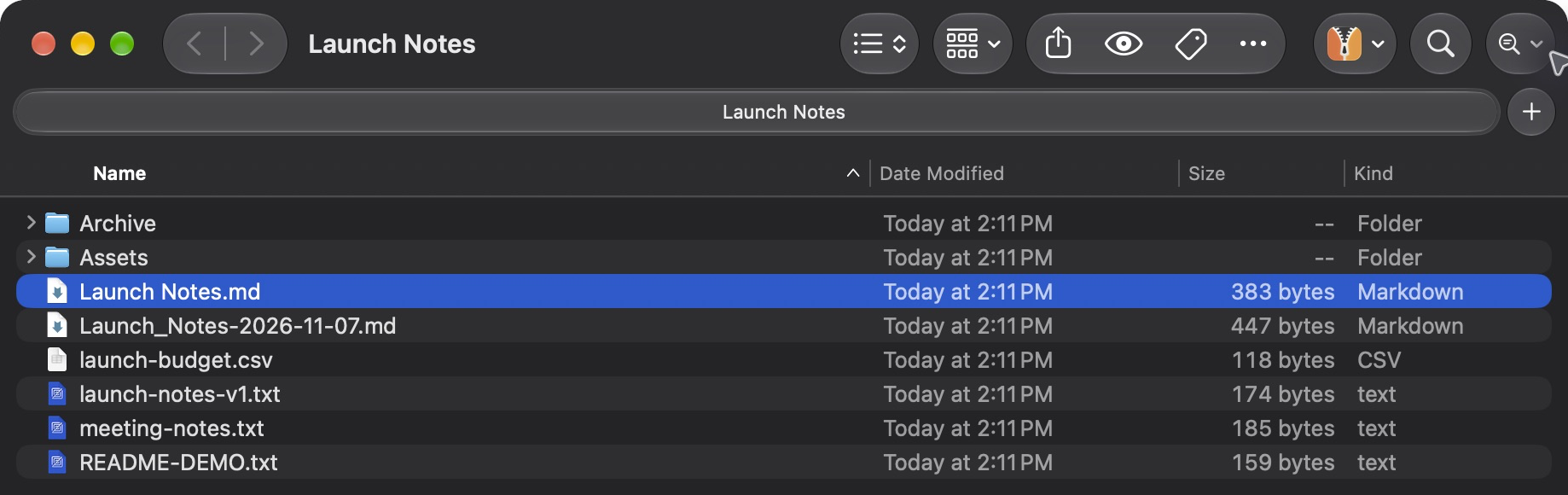
Open Matchlight Search from Finder, or choose a folder in the app.
02
Describe the name
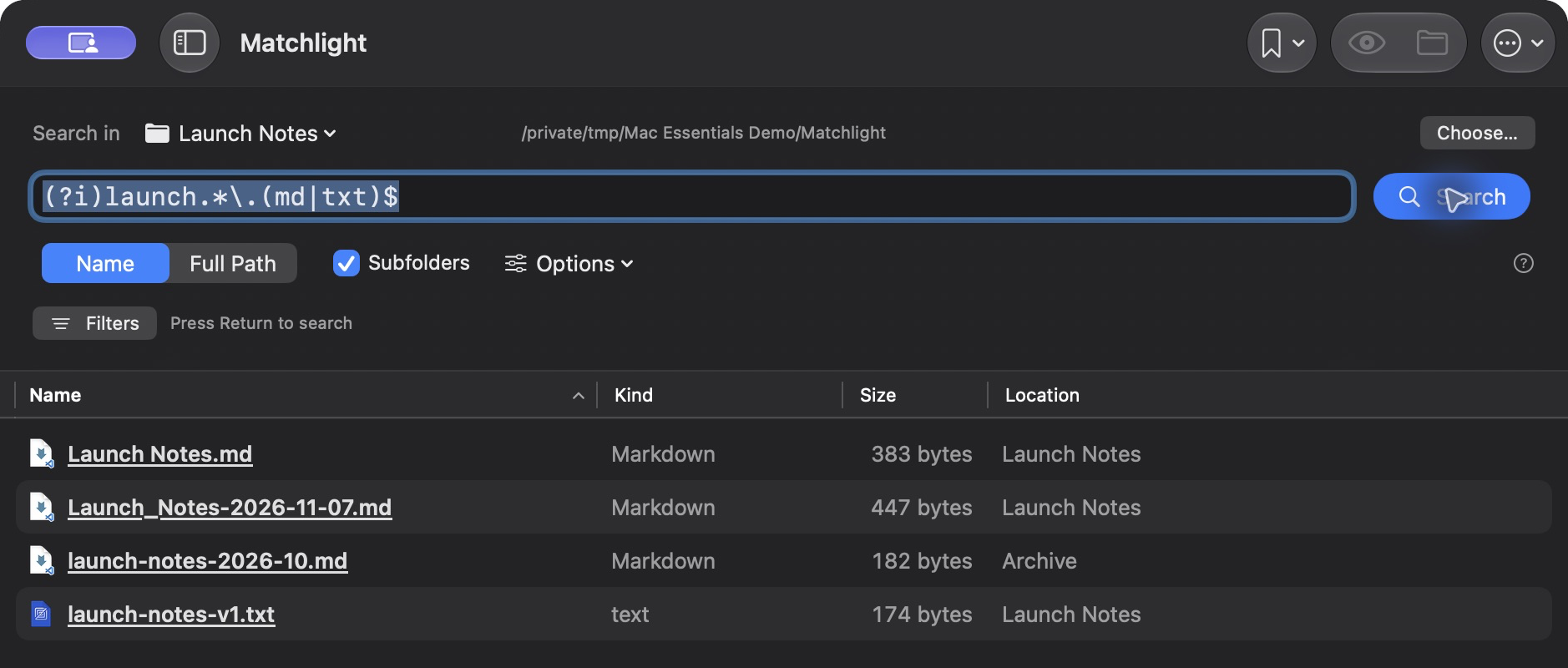
Enter a regular expression. For example, ^invoice.*\.pdf$ finds invoice PDFs.
03
Work with the matches
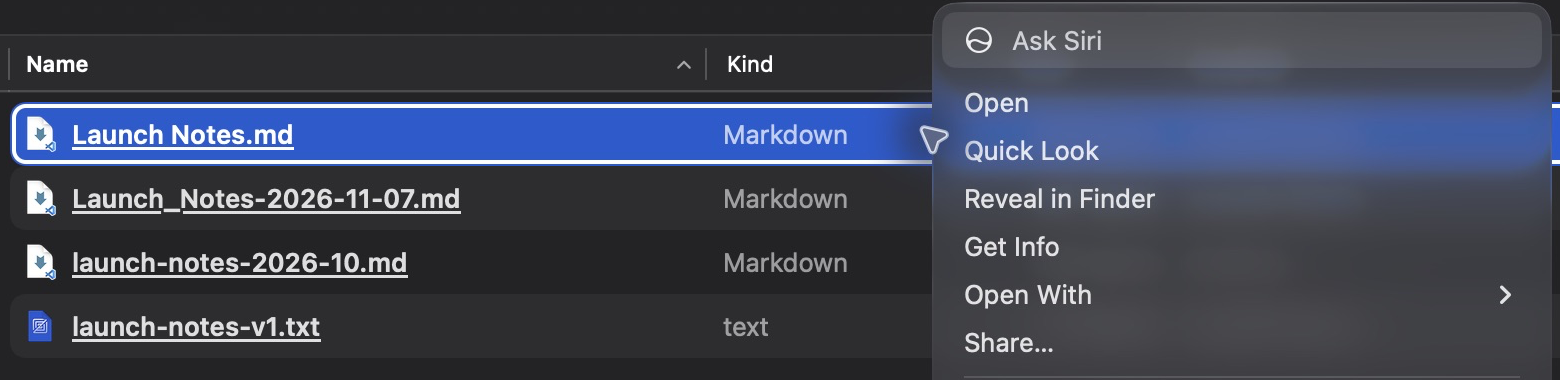
Preview, filter and select results, then reveal originals or organize them in place.
Familiar Mac controls. More precise search.
A pattern, a folder, your results
Match filenames or full paths with ICU regular expressions. Choose subfolders, case sensitivity and hidden files; optionally search as you type.
A workspace that fits
Choose Focused, Workspace or Compact layouts. Save searches, highlight matches, and filter collected results by kind, size or date.
Work with the files you find
Use Quick Look, Open With and Finder reveal. Move, copy, rename, compress or send selected files to Trash, with session Undo for file operations.
Start in Finder. Keep your context.
Matchlight opens a companion search window for your folder. It uses native file icons, system appearance and Quick Look. The files stay in their original locations until you choose an action; Finder’s own search field stays as it is.
Get Matchlight
A one-time purchase, with installer delivery and recovery through your secure purchase portal.
$9.99
One-time purchase
macOS 14 or later / Apple Silicon and Intel. Applicable taxes are shown at checkout.
No card or purchase key needed to start. The trial begins when you start it online in the app and lasts 7 consecutive days. After that, activate a purchased key to continue. Reinstalling does not restart the trial.
Version 1.2.0. Installer downloads are included in your purchase. The same app is available to try for 7 days, then requires a purchased key. A paid key unlocks only this app. Online checks refresh its 30-day offline receipt; the purchase itself does not expire. This paid-license cache is not a trial extension. Existing keys and device allowances are unchanged.
After payment, Polar emails a secure route to your license key and downloads. Already own it? Find your purchases.
A note on your data.
Searches and file operations run locally. No filenames, paths or file contents are sent to Mantiqo. Trial and purchase activation contact the license service using a product-specific device hash and signed receipt.
Read the product privacy policyA few useful answers.
No. The Finder extension opens Matchlight with your chosen folder. Results appear in the companion Mac window, where you can preview, organize or reveal originals in Finder.
Matchlight searches filenames or full paths, not file contents. It does not traverse package contents or symbolic links. Searches stop at 20,000 matches; narrow the folder or expression if needed.
The full trial lasts seven consecutive days from its first online start. Reinstalling does not reset it. Afterwards, activate a Matchlight key for new searches and file changes. Already accepted operations finish safely, and Stop, Undo and recovery remain available.
US$9.99 one-time for a Matchlight-only key on unlimited personal Macs. Paid activation needs internet initially and supports up to 30 days offline. Download updates manually through Polar; future major upgrades may be separately priced.
macOS 14 or later on Apple Silicon and Intel Macs. Folder access remains subject to macOS privacy permissions.
Undo is available for this app session and refuses to overwrite existing files. Quitting clears its history. Drag operations completed by Finder use Finder’s Undo.
More from Mantiqo.
FileWeave
macOS / Windows
Put your folders on a routine.
Local folder rules for the files that keep arriving. Match by name, extension, size, or age, then move, copy, rename, or trash files without keeping a settings window open. Take your setup with you through JSON rule exports.
Desktop utilities

RepoDeck
macOS / Windows / Linux
All your projects. A clearer perspective.
Bring local folders and GitHub repositories into one project command center. Go from a portfolio-wide view to a focused workspace, with Git changes, resources, guided actions, and runs close at hand.
Developer tools

Trails
iOS
Go about your day. Keep the journey.
An automatic trip journal for the routes that make up your life. Record walks, runs, rides, and drives, then revisit them through route maps, replays, and a picture of your everyday movement.
Life in motion